Many boat clubs are using Blippa for keeping track of checkups, logins, checkpoints etc.
Each event is fed into a Blippa Data Source using various forms.
Each morning, a worker is configured to email a report to the harbour master.
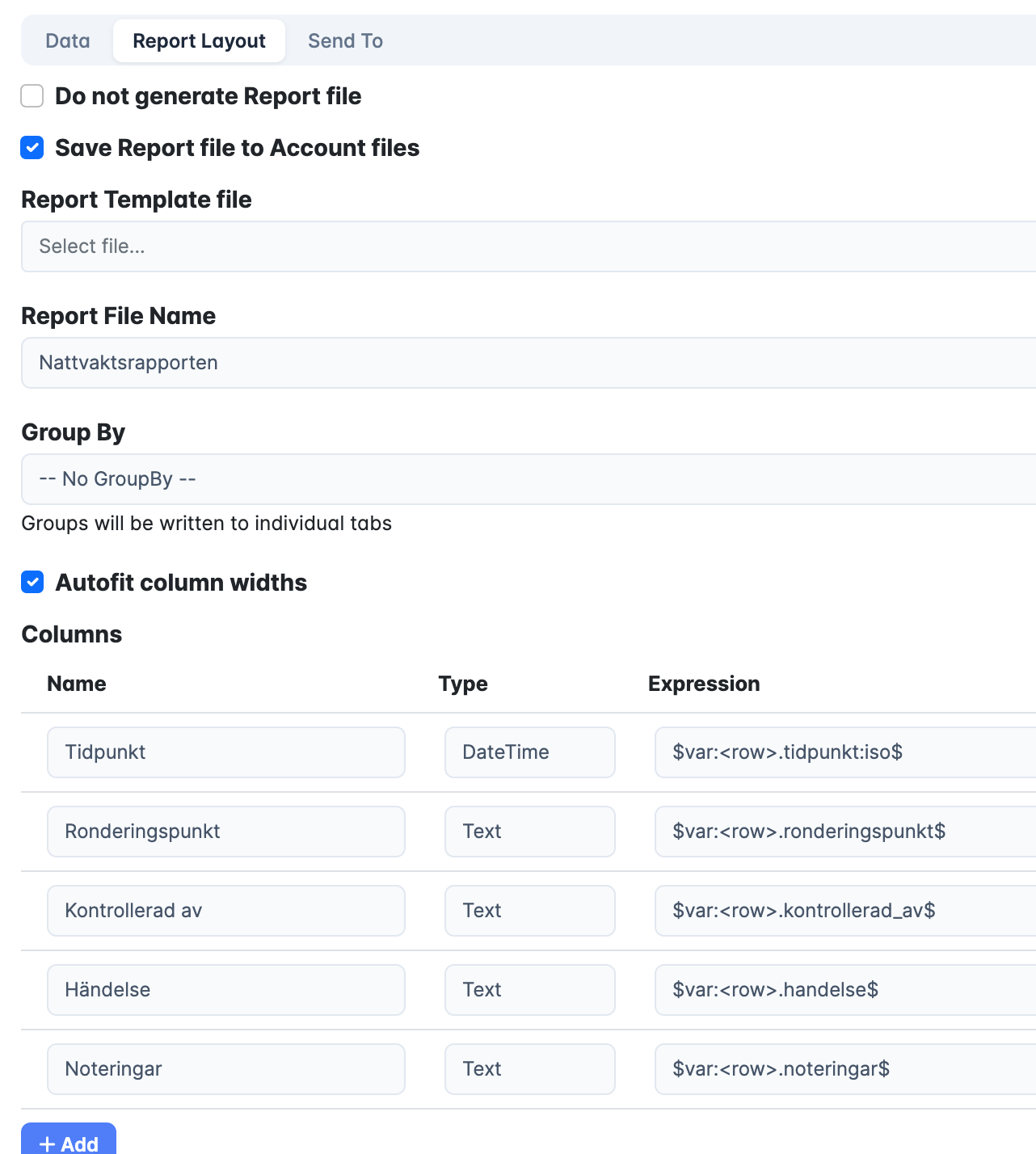
To get the dates and times correct, it is important to use the “iso” option correct.
In this example, the report is emailed at 8AM every morning.
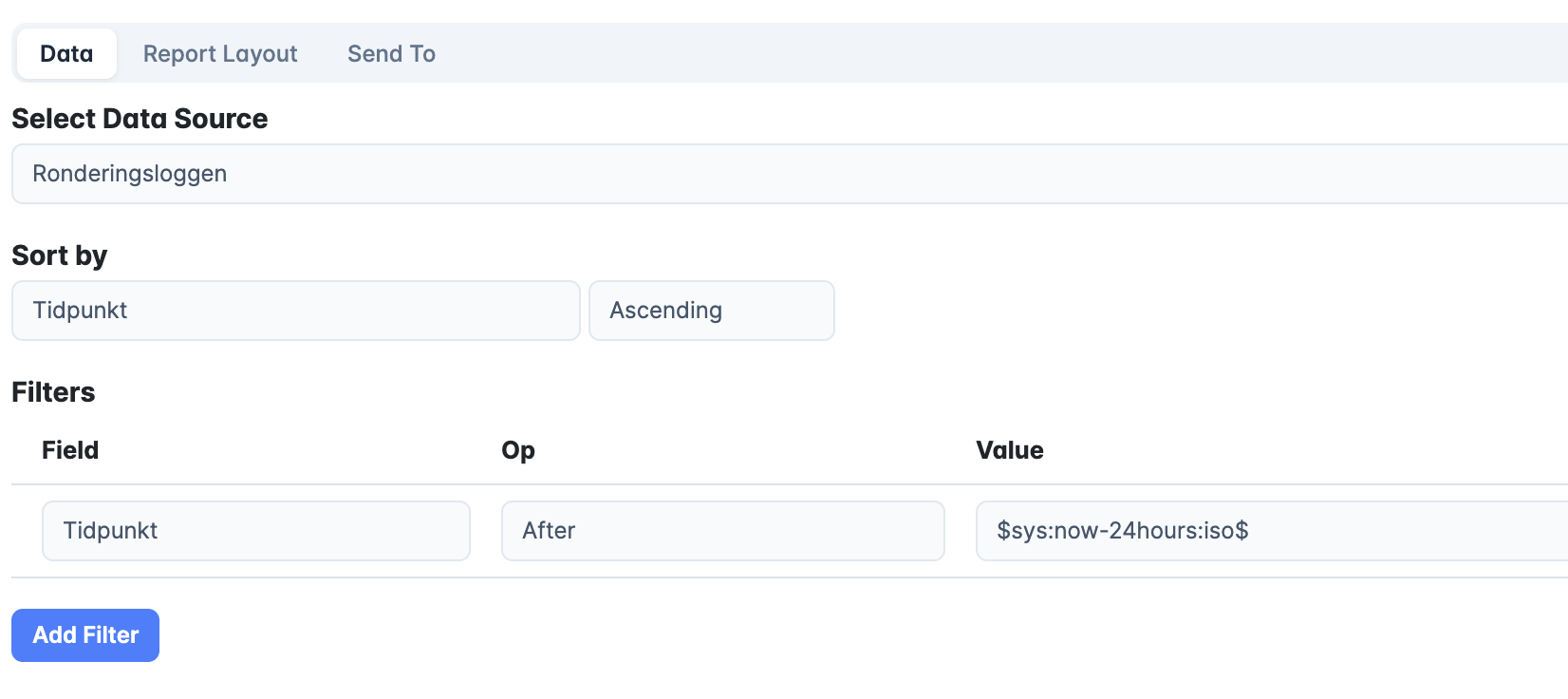
By adding $sys:now-24hours:iso$ the report will include all events in the last 24 hours:
Using the renderoption ‘:iso’ is necessary when the datetime written is to be interpreted by the system, for example when used as a filter in a query or when written as a DateTime column to Excel.
If omitted, the variable will be rendered in human readable form, for example: ‘2026-05-17 09:00’
Note that the rendered date lacks any timezone information and that could lead to the datetime being misinterpreted into a value 1 or 2hours off (depending on Daylight Savings Time)
By specifying the rendertype ‘:iso’ the same date would be rendered as ‘2026-05-17T09:00:00+02:00’ which prevents any unwanted misinterpretations.