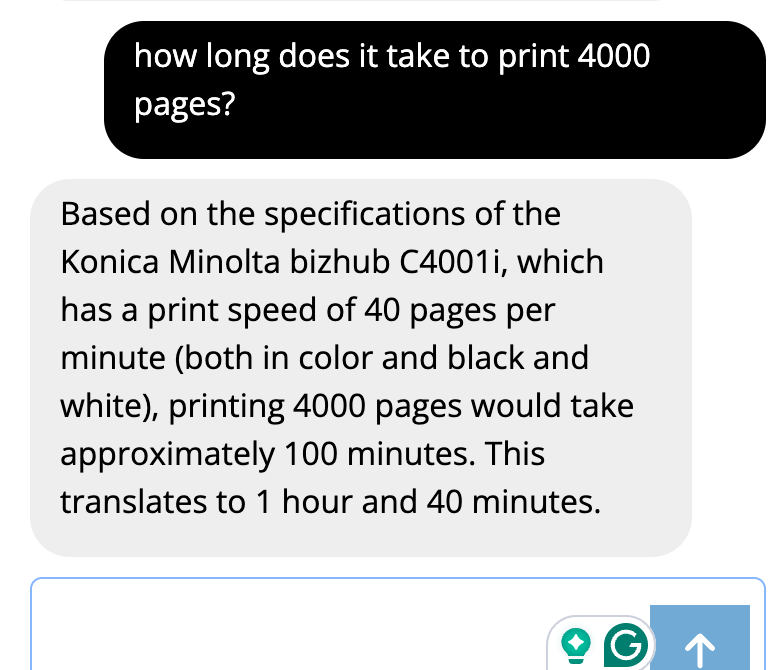
Last week, Google released a most-wanted feature: The ability to upload documents to the Google Gemini AI in advance!
With this, you can upload product manuals, etc, into a “File Search Store”.
Gemini will then index them (AI vector format) so they can be used in AI chat conversations, etc.
This makes it both much easier to feed the AI with PDFs (you do not have to set up your own RAG server) and much faster.
And even (much) less expensive (compared to sending the document with each question)!
How to:
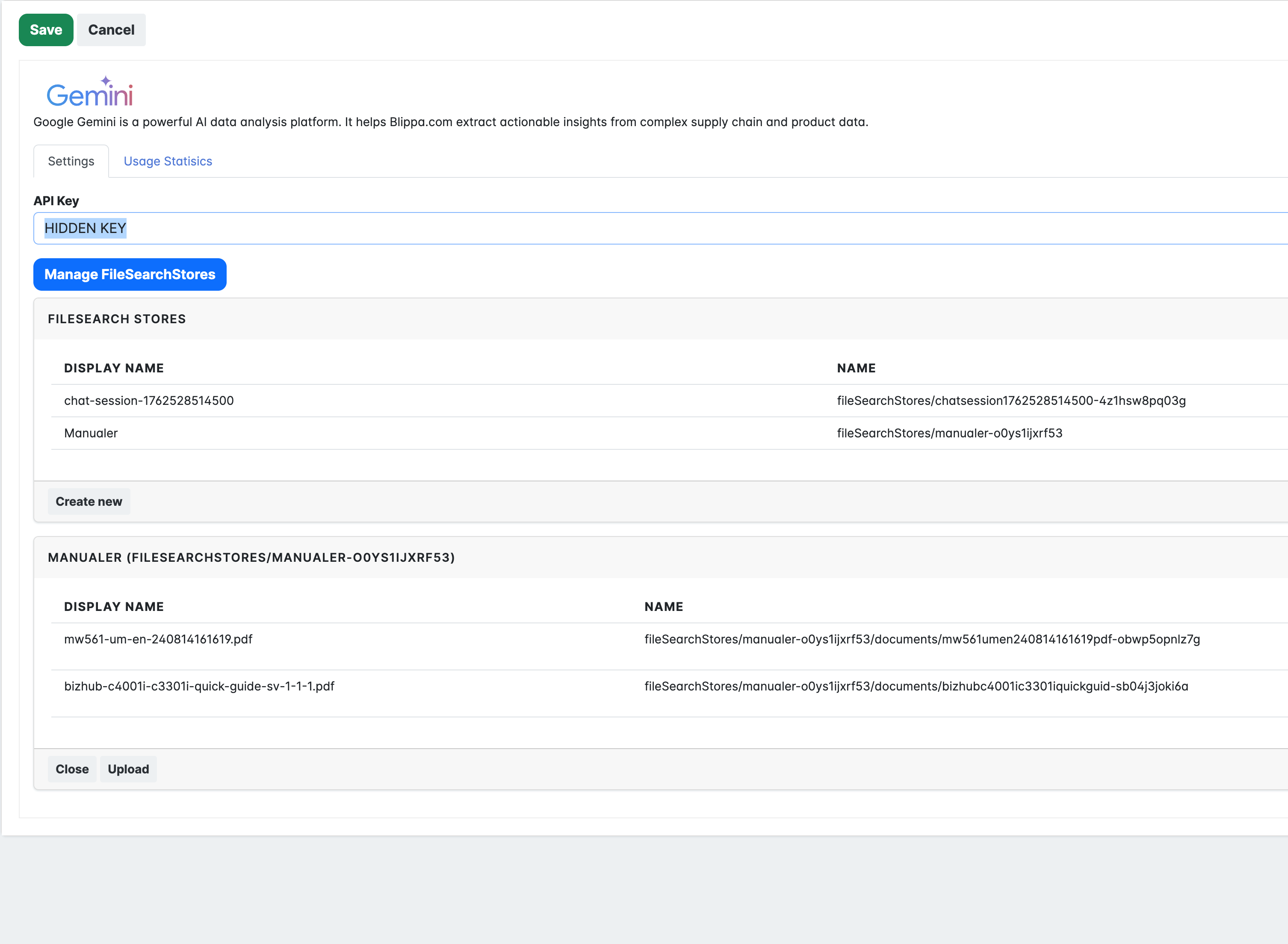
- In Labelsadmin-Integrations-Gemini, click on ManageFileSearchStore.
- Create a new storage.
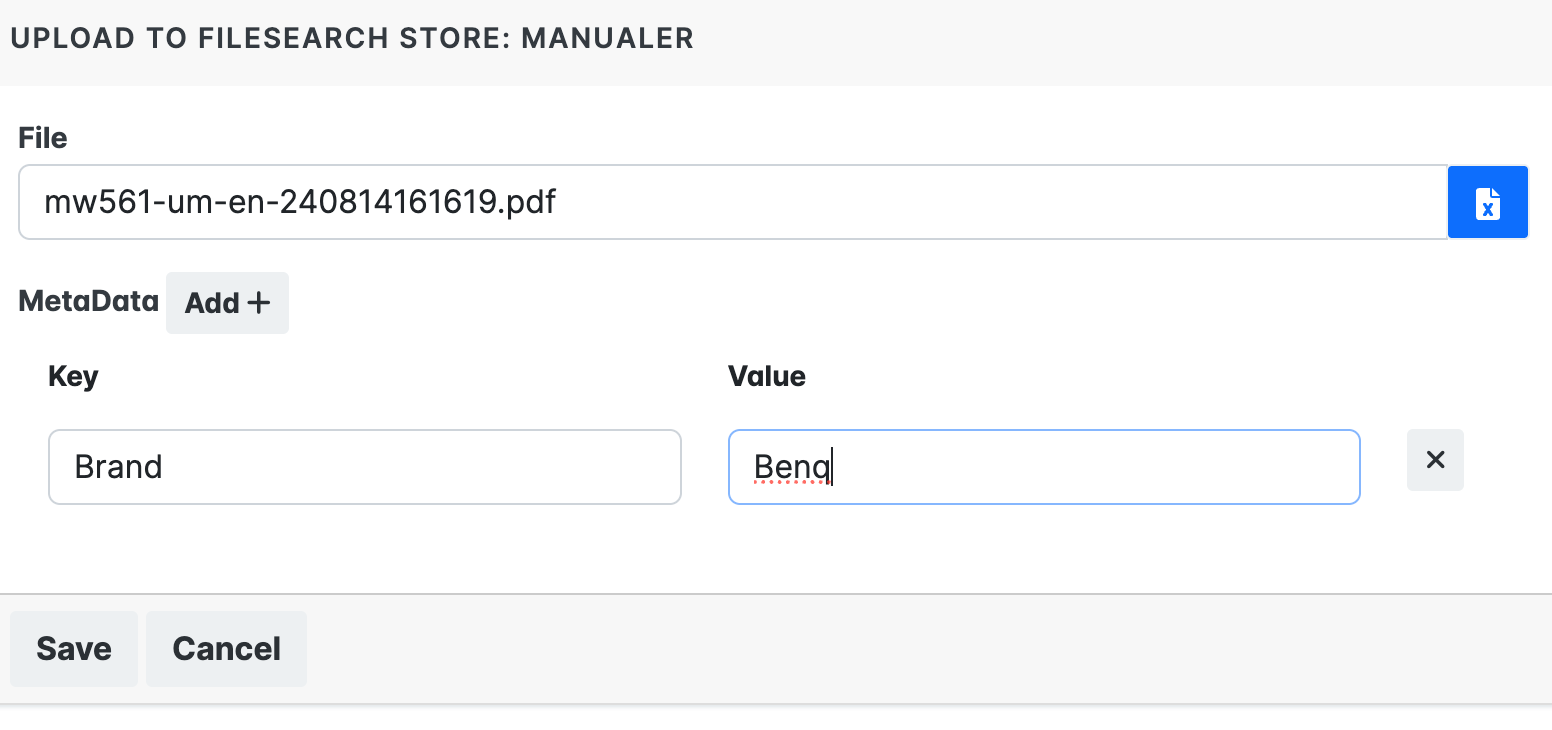
- Upload the files. You can add some metadata to each file. This can later be used to tell the AI which documents to search (e.g., Printer, Computer, etc.).
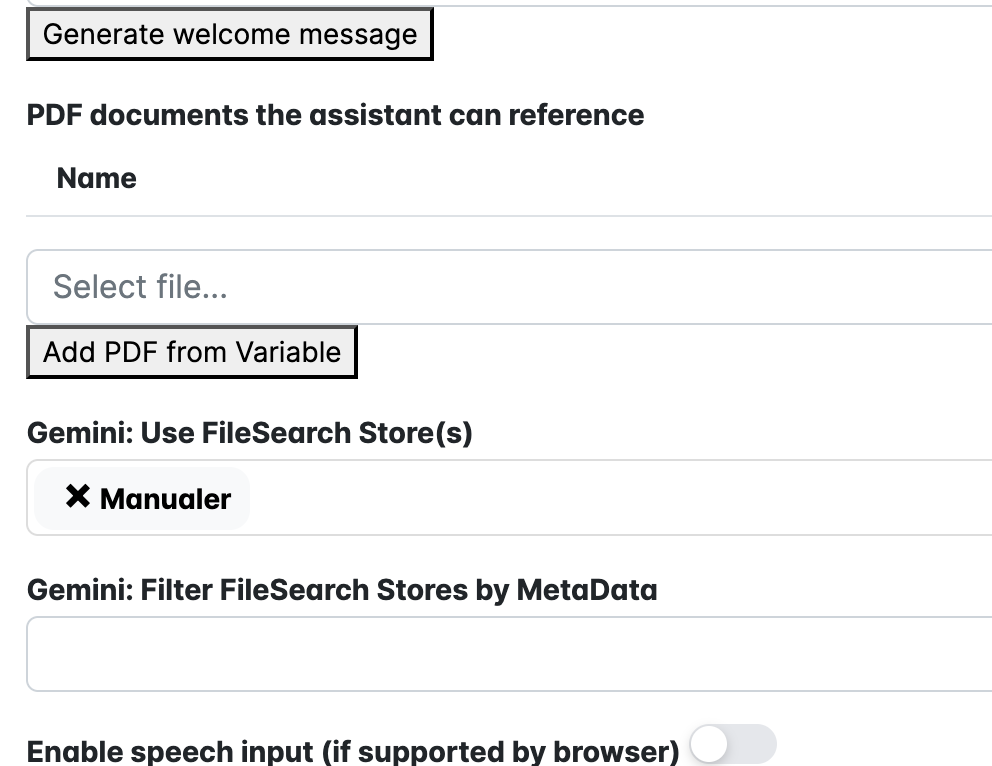
- In the function Ai Chat, select the FileSearchStore to use. (You can also use variables to map the meta tag you used on the files.
- Done!
The Integrations-Gemini settings
The AI Chat setting
The result